
Does Bitbook upload original audio for AI meeting notes?
No. AI note generation uses transcript text when you choose it; the original audio is not the AI input.
BITBOOK · PRIVACY AND DATA FLOW
Bitbook separates desktop recording from your transcription choice and optional AI note generation. Original audio stays in the desktop workflow; local transcription happens there too. AI notes use transcript text only when you ask Bitbook to generate them.
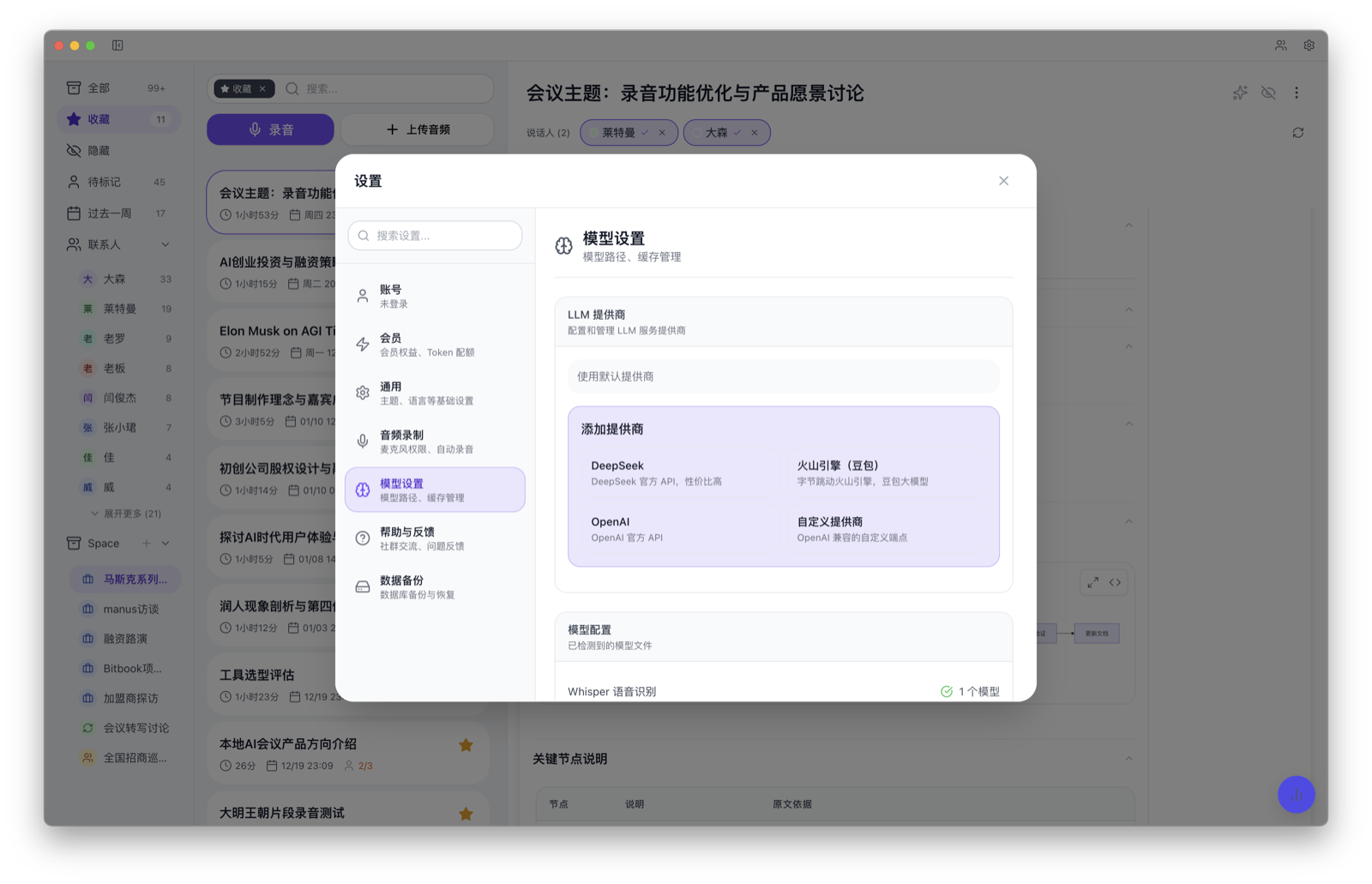
Product screenshot. Check the model and service settings before generating notes.
Meeting recordings are created and stored on your computer. When you choose local transcription, the local workflow does not upload original audio. Review a cloud provider separately if you choose cloud transcription.
When you choose local transcription, text is produced on your computer. You can review, correct, search, and export it from the desktop app.
If you choose to generate notes with an AI service, the service receives transcript text—not the original audio. Review your chosen provider and settings before use.
Bitbook cannot control recordings made by a meeting platform or another participant, nor documents you deliberately export or share. This page describes Bitbook's own desktop recording, transcription, and note-generation flow.
No. AI note generation uses transcript text when you choose it; the original audio is not the AI input.
Bitbook offers both local transcription and an optional cloud transcription choice. Local transcription creates the transcript on your computer; review the provider and its data handling before selecting a cloud option.