
Skip to content
Bitbook

BITBOOK · DESKTOP MEETING WORKSPACE

Private AI meeting notes start with a meeting that stays on your computer

Record a meeting, create a local transcript, and decide when a transcript should be turned into notes. Bitbook is built for conversations that need a clear data boundary before they need another cloud workspace.

The desktop interface is currently primarily in Chinese. Read the English getting-started guide before installing.

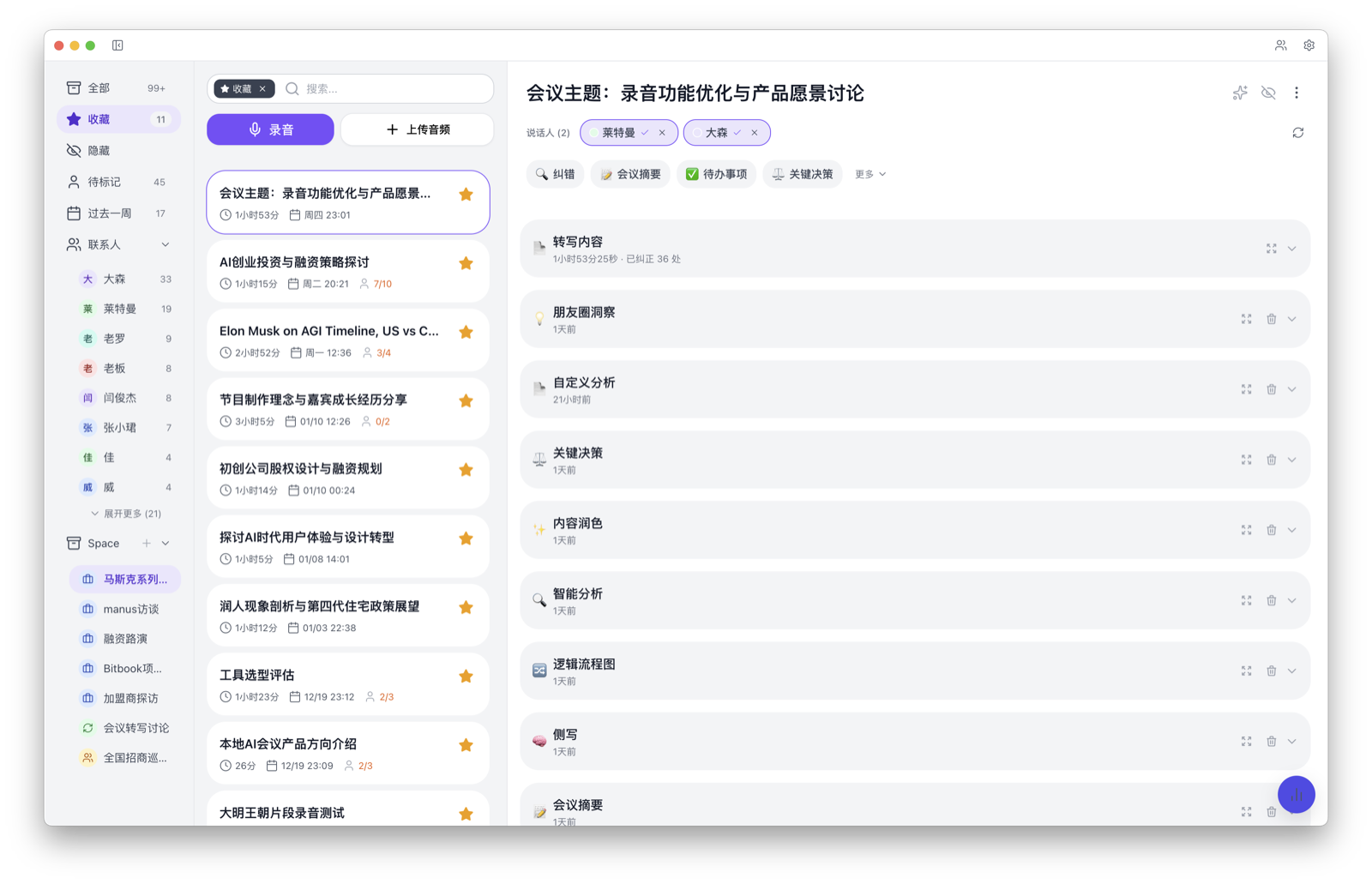
Bitbook desktop workspace showing a meeting transcript and structured notes

Product screenshot. The current desktop UI is primarily in Chinese.

A CLEARER MEETING DATA FLOW

Record locally. Review first. Share intentionally.

Keep original audio on your computer

Bitbook records to your desktop. Original meeting audio is not uploaded as part of the recording or local transcription workflow.

Transcribe locally

Review a searchable transcript on the same computer where the meeting was recorded, with speaker identification across meetings.

Choose when to use AI notes

When you generate a note with an AI service, Bitbook sends transcript text—not the original audio—to the service you select.

Questions people ask before they download

Does Bitbook upload meeting audio?

Bitbook records meetings to your desktop. With local transcription selected, the local transcription workflow keeps the audio and transcript on that computer. A separate cloud transcription option is available when you choose it.

Does AI note generation use the original audio?

No. When you choose to generate notes, Bitbook sends transcript text to the AI service you select, not the original meeting audio.